Moodle Mobile Attendance Plugin
A Moodle companion plugin that improves the attendance plugin experience on mobile devices, fixes broken screen alignment on the attendance taking page, and adds batch-separated report generation for easier attendance analysis.

The Problem
The native Moodle attendance workflow is mainly designed for desktop-sized screens. On mobile devices, the attendance taking page can become misaligned, cramped, and difficult to use during real classroom attendance sessions.
Reporting was another limitation. The default flow focused on course-level reports, which made it harder to generate cleaner attendance reports when student groups needed batch separation.
The Solution
This companion plugin refines the Moodle attendance experience for mobile use by rebuilding key screens with a responsive layout and extending reporting with batch-wise separation. The result is a smoother workflow for teachers who need to take attendance quickly from phones or small tablets.
Mobile-Friendly Attendance UI
Fixes the broken alignment on the Moodle attendance taking page so teachers can mark attendance comfortably on smaller screens.
Responsive Session Screens
Improves the all-sessions and attendance input screens that were originally optimized only for desktop layouts.
Batch-Wise Report Separation
Adds report generation with batch separation, making attendance analysis more practical for grouped student cohorts.
Better Reporting Workflow
Extends the native course-based reporting approach with clearer, more focused attendance output for staff use.
Technology Stack
Before & After Screens
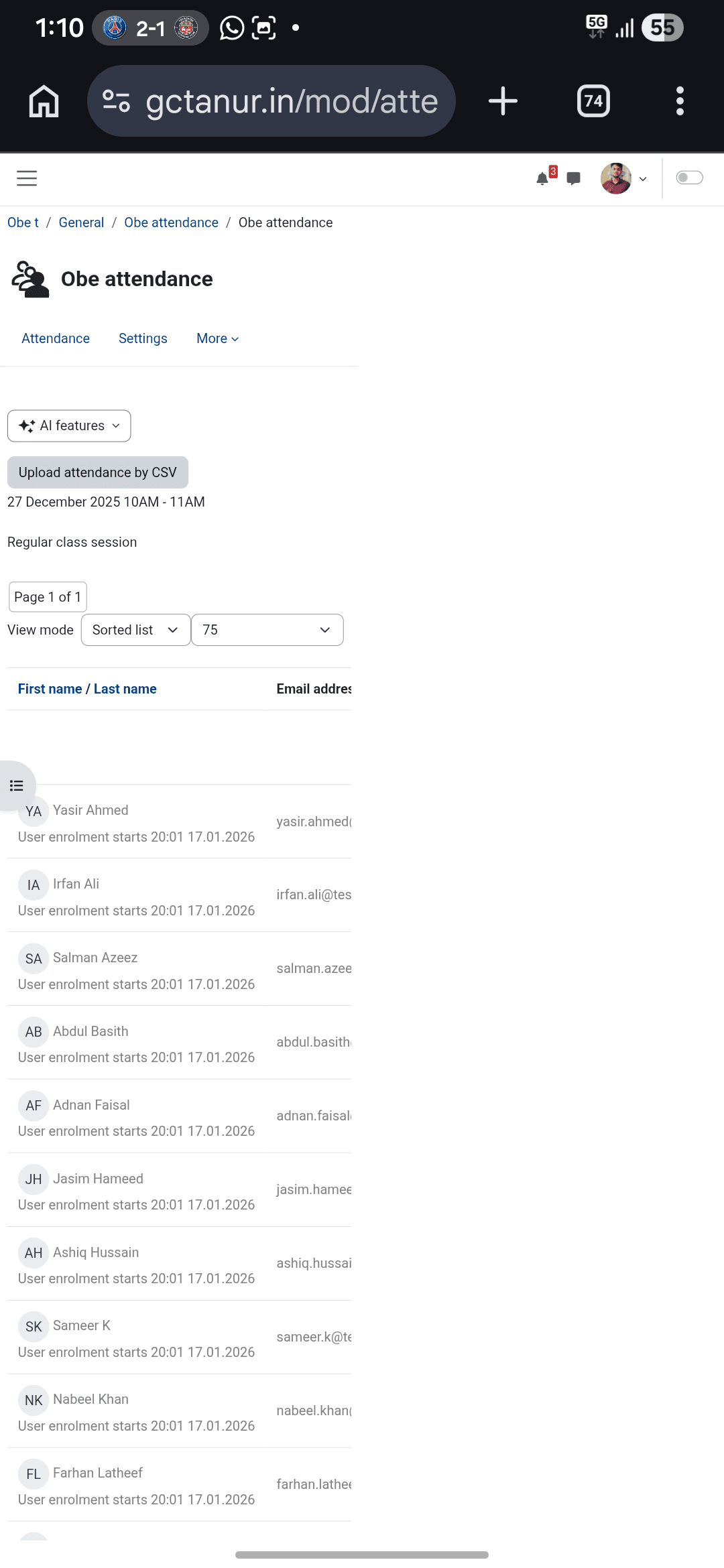
Before: attendance taking page on mobile
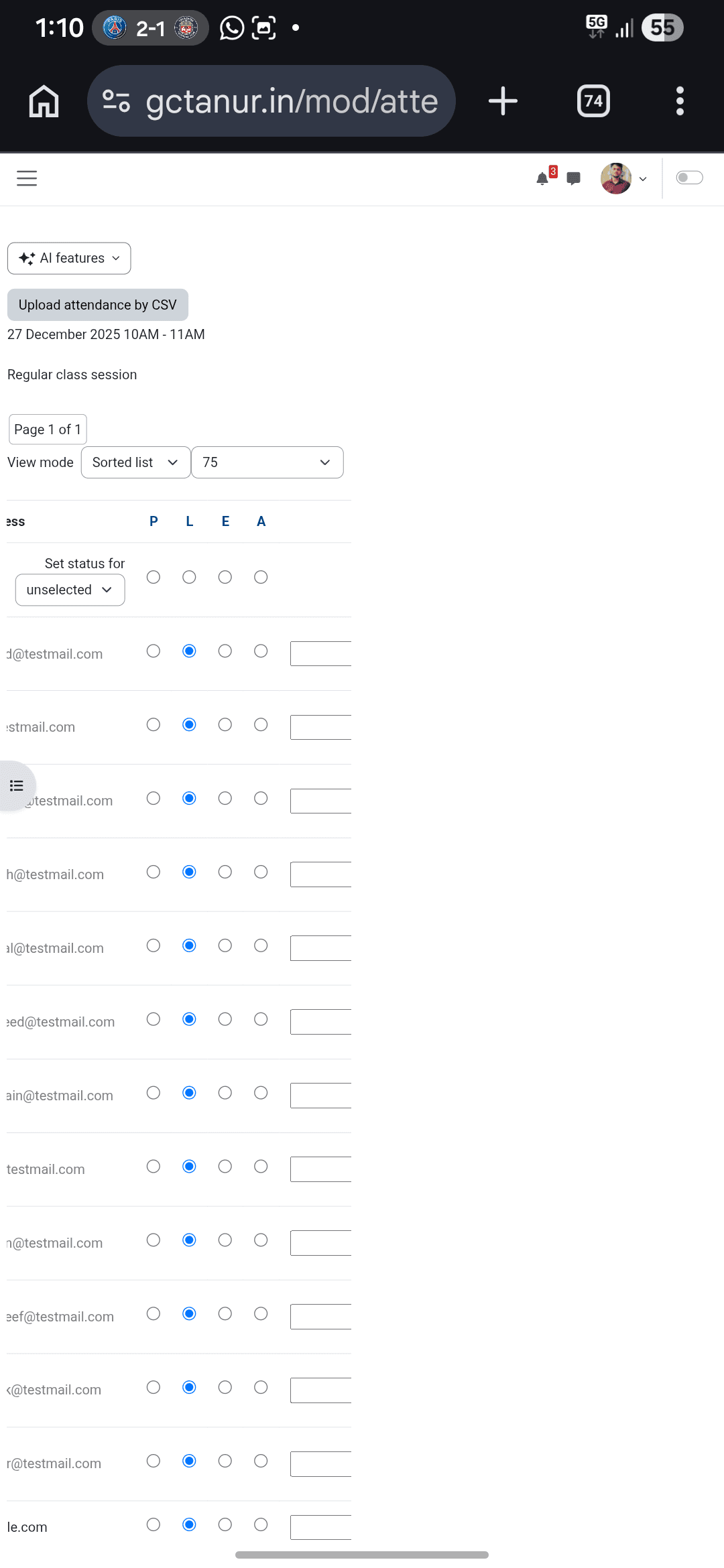
Before: second mobile layout issue
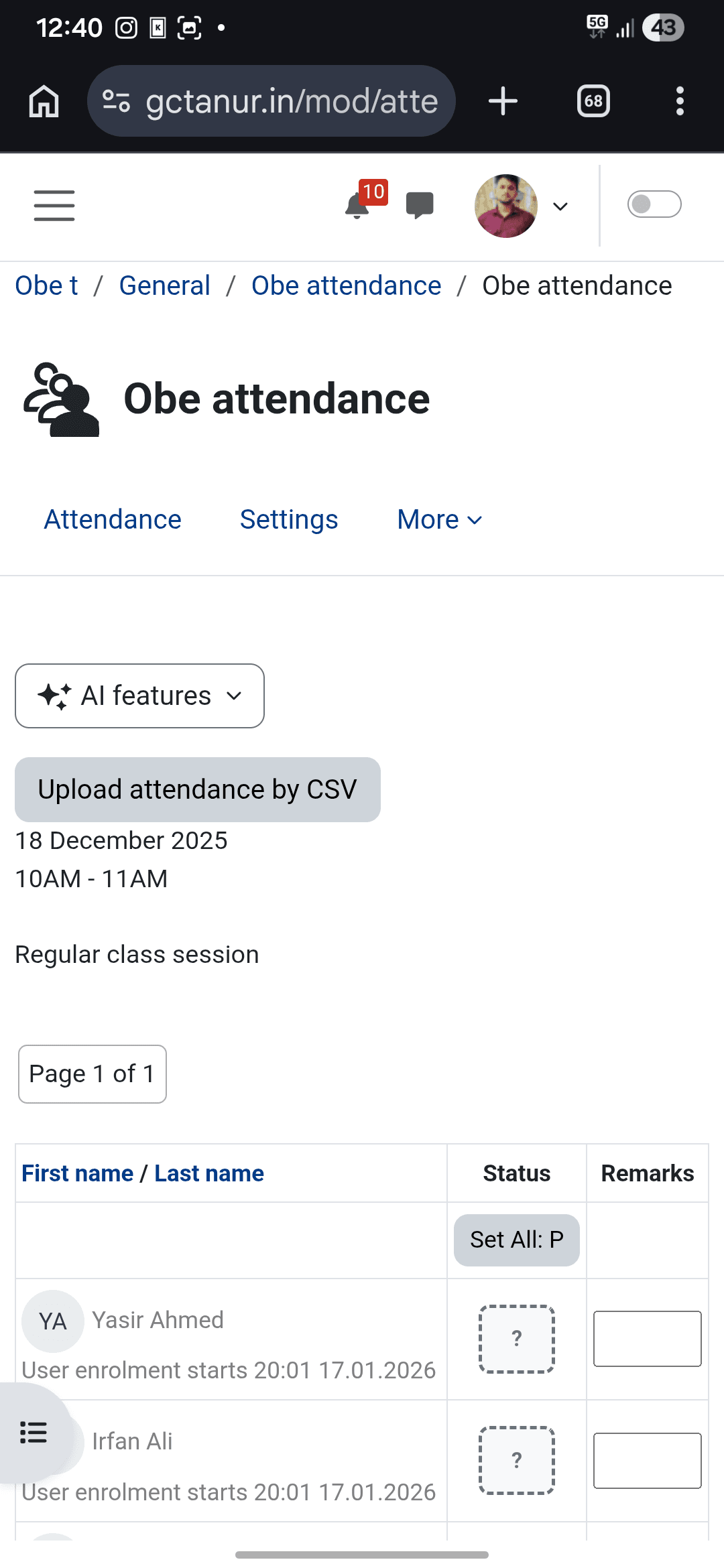
After: responsive attendance taking page
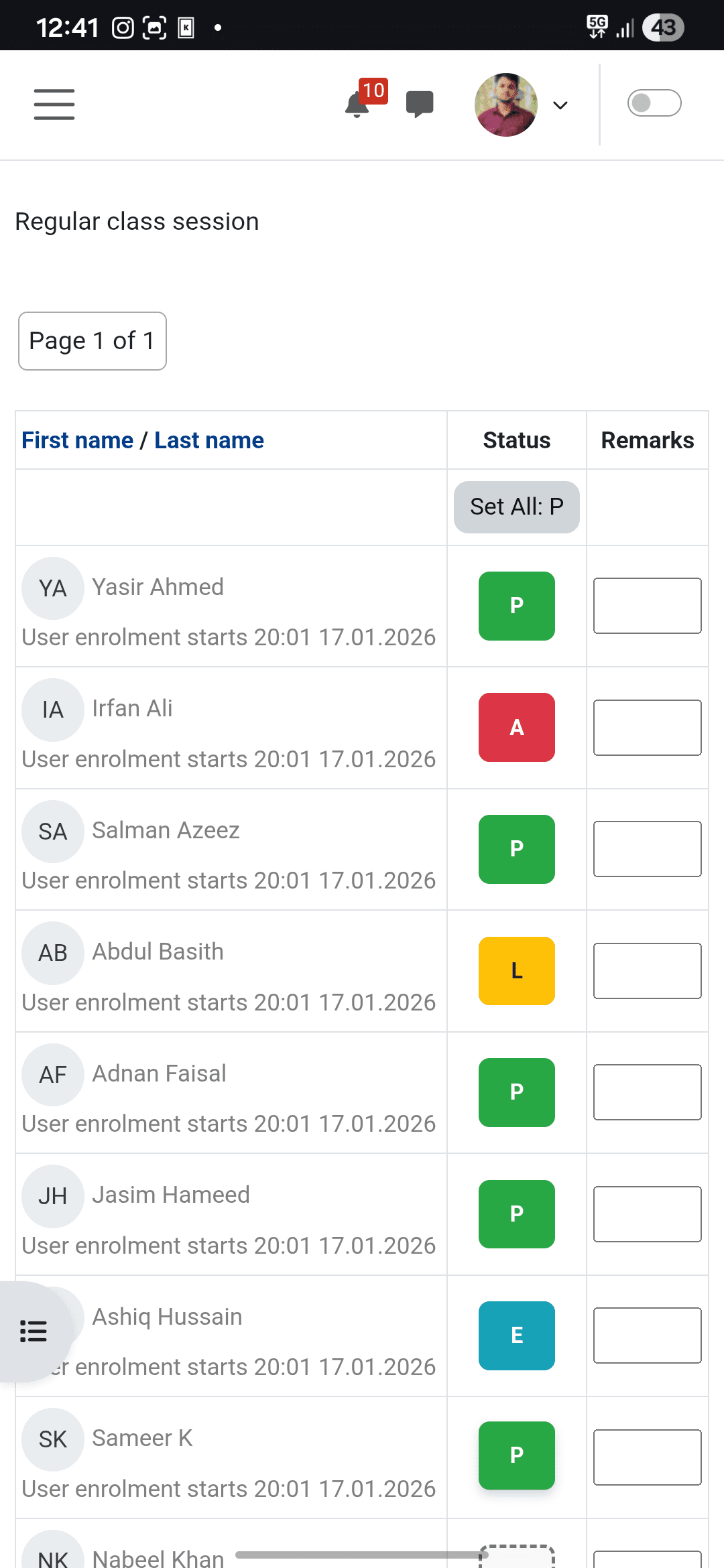
After: attendance values aligned properly
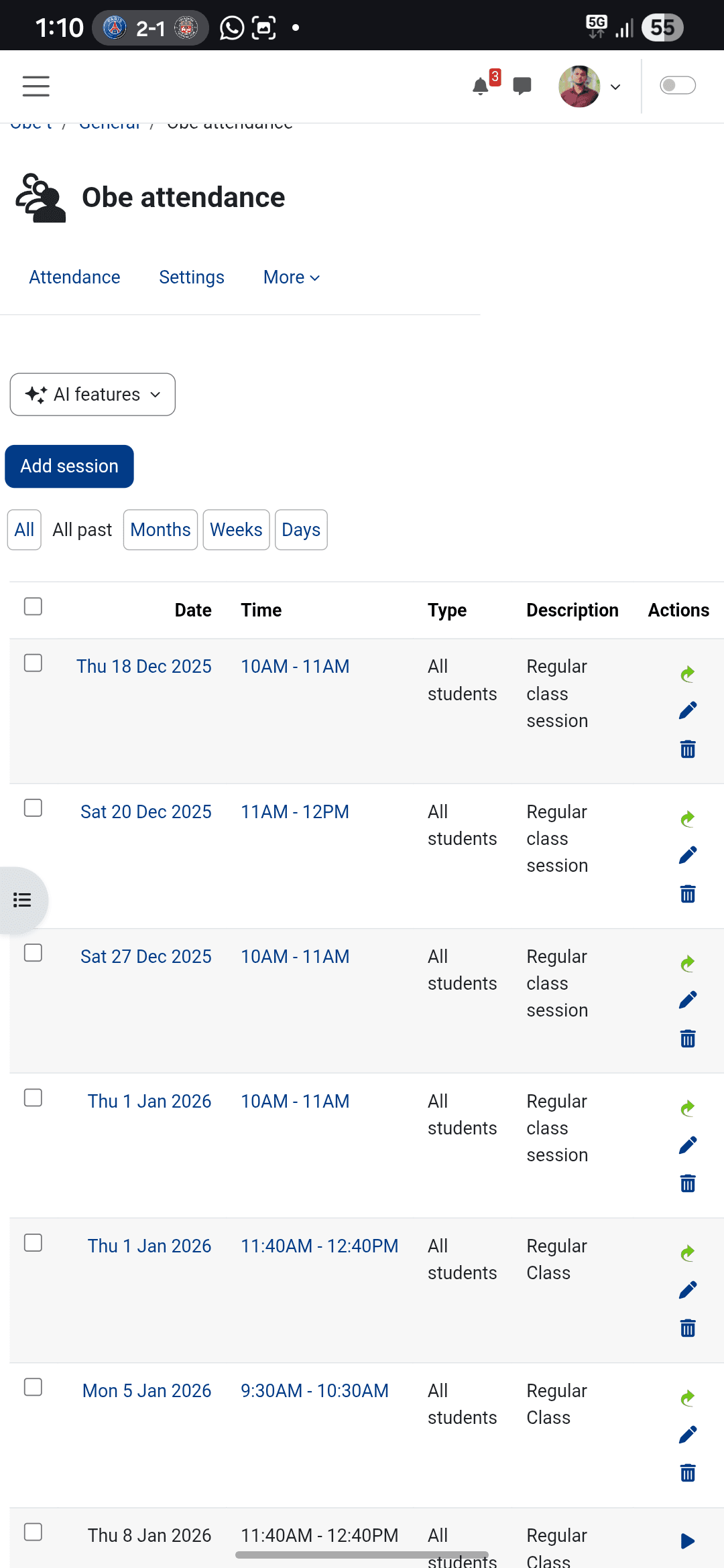
Before: all sessions page on mobile
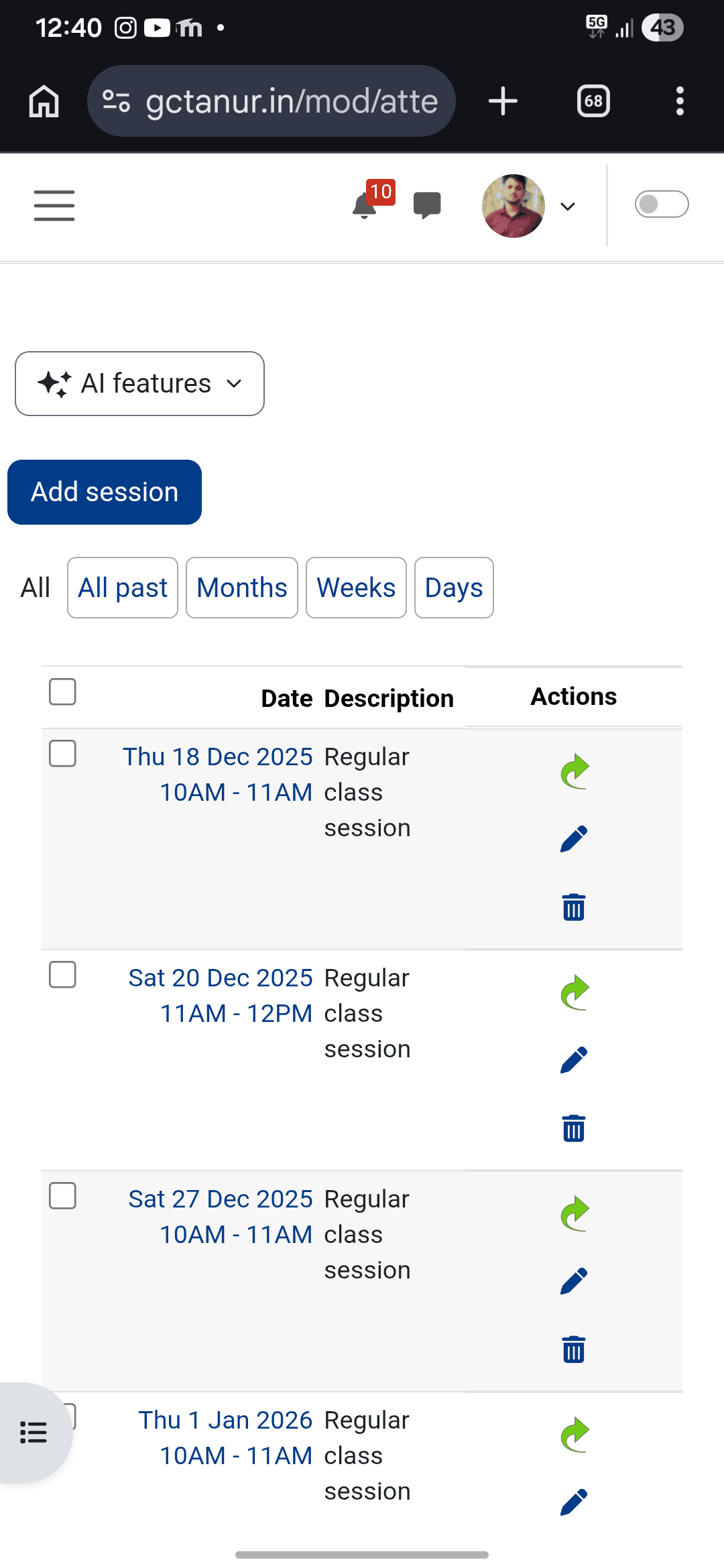
After: all sessions page optimized for mobile
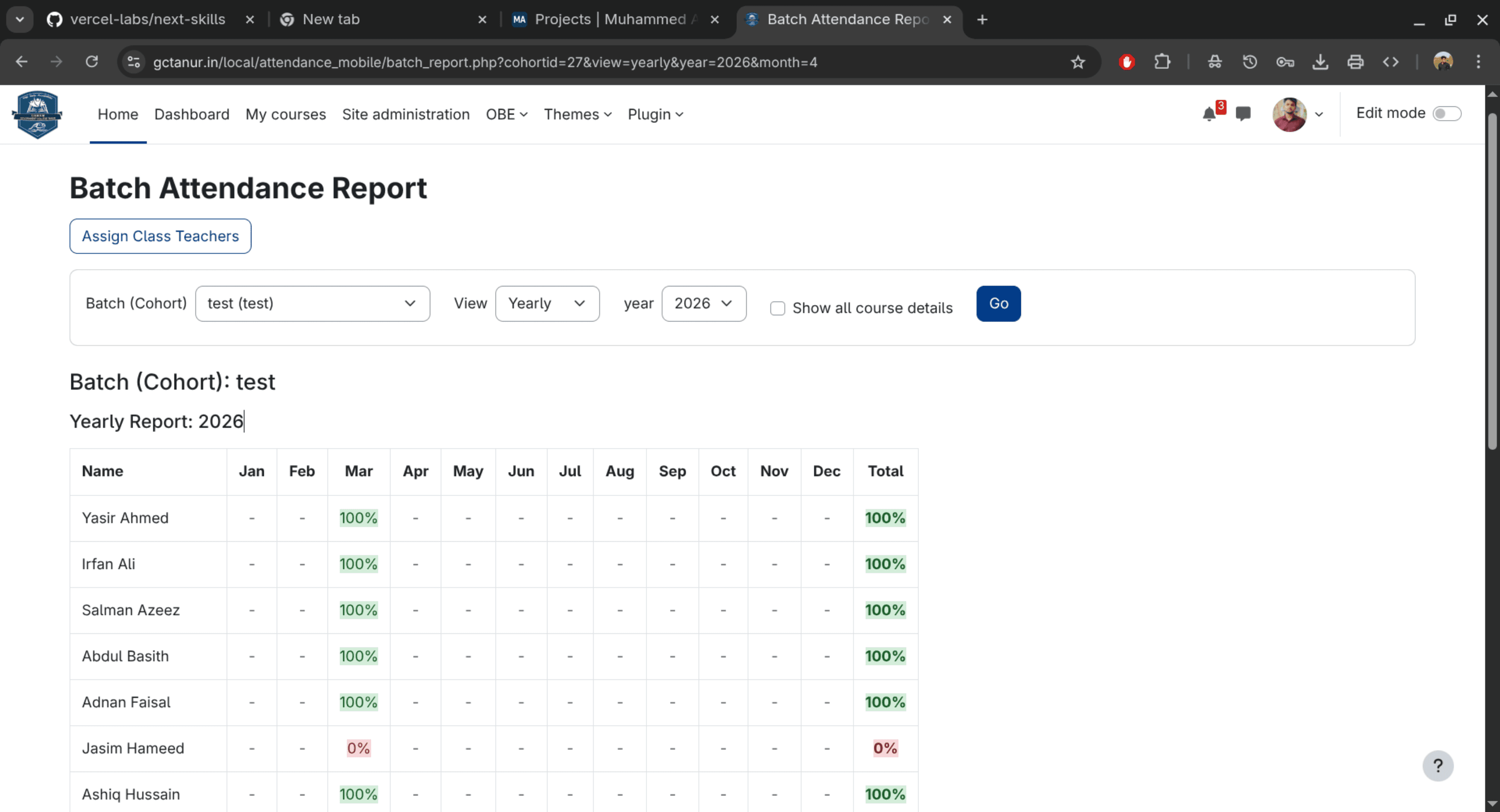
Batch-separated attendance report
Outcome
The project turns a desktop-first Moodle attendance experience into a more usable mobile workflow. Teachers get a cleaner attendance input page, better small-screen readability, and report output that is more useful when batches need to be reviewed separately.